博客封面

进程退出

进程退出场景

进程退出无非以下三种情况:

进程退出码

在编程中,我们通常认为main函数是代码的入口,但实际上它只是用户级别代码的入口。main函数是被其他函数间接调用的,例如在VS2013中,main函数由*__tmainCRTStartup函数调用,而__tmainCRTStartup*函数又是通过加载器被操作系统调用。所以,main函数是间接性被操作系统所调用。

由于main函数是这样被调用的,当main函数调用结束后,应该给操作系统返回相应的退出信息。这个退出信息以退出码的形式作为main函数的返回值返回。一般情况下,我们以0表示代码成功执行完毕,以非0表示代码执行过程中出现错误。这就是为什么我们常在main函数的最后返回0。

执行以下代码:

1
2
3
4
5
6
7
#include<stdio.h>

int main()
{
printf("hello Qin\n");
return 0;
}

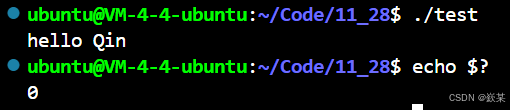
我们可以通过*echo $?* 查看最近进程的退出码

img

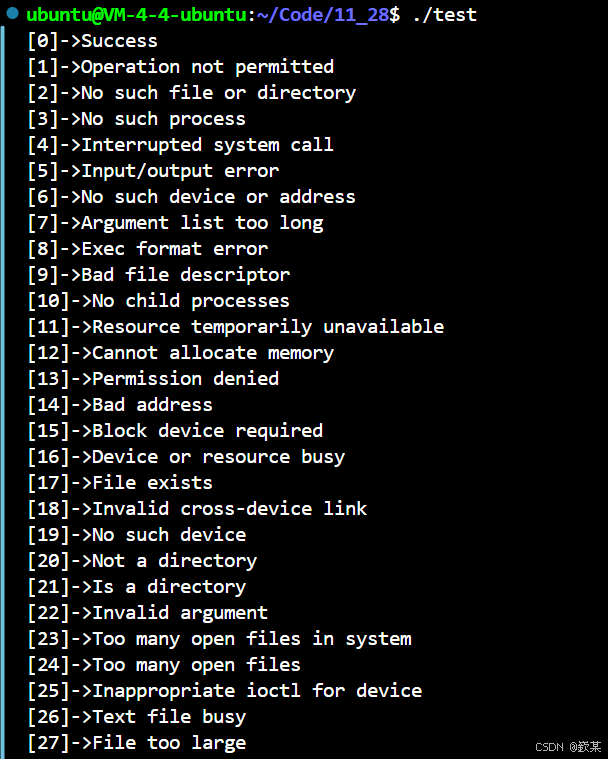
进程正常退出返回0,如果进程不是正常退出就会返回其对应的退出码,在C语言中我们可以通过strerror函数打印出对应的错误信息。

1
2
3
4
5
6
7
8
9
10
#include<stdio.h>
#include<string.h>
int main()
{
for(int i = 0; i < 150; i++)
{
printf("[%d]->%s\n",i,strerror(i));
}
return 0;
}

img

需要注意的是: 退出码都有对应的字符串含义,帮助用户确认执行失败的原因,而这些退出码具体代表什么含义是人为规定的,不同环境下相同的退出码的字符串含义可能不同。

exit与_exit函数
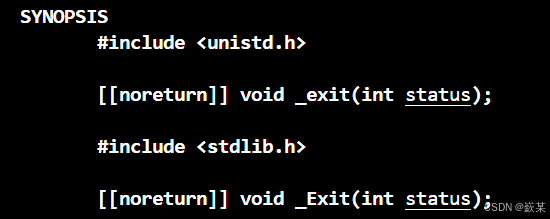
imgimg

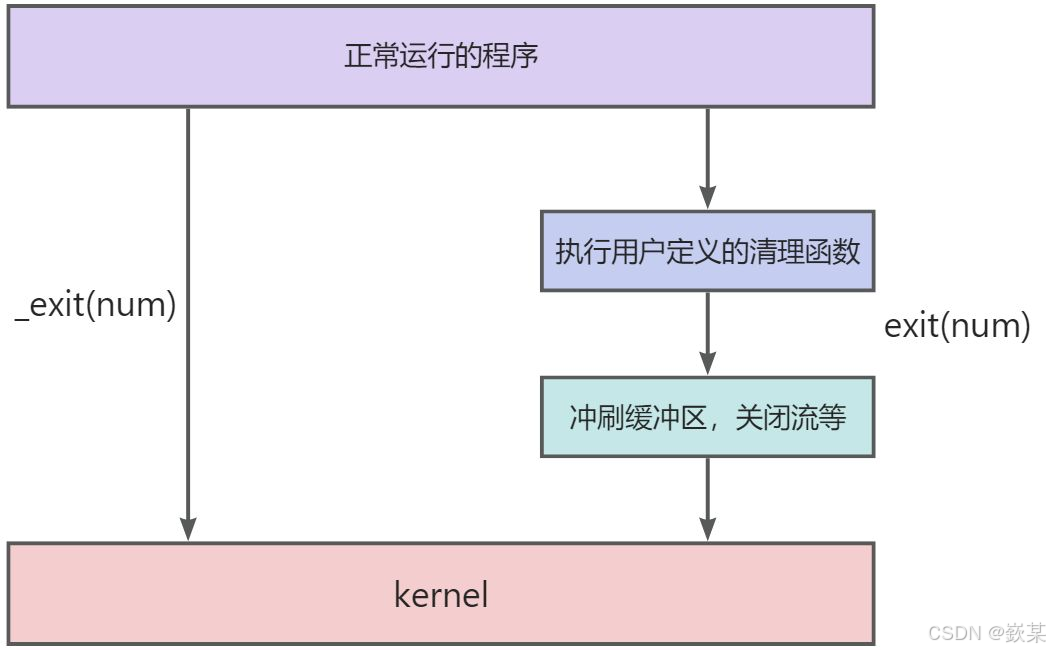
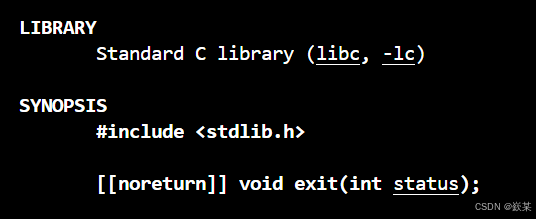
exit函数可以在代码中的任何地方退出进程,并且exit函数在退出进程前会做一系列工作:

  1. 执行用户通过atexiton_exit定义的清理函数。
  2. 关闭所有打开的流,所有的缓存数据均被写入。
  3. 调用*_exit*函数终止进程。

img

例如以下代码:

1
2
3
4
5
6
7
8
#include<stdio.h>
#include<stdlib.h>
int main()
{
printf("hello Qin!");
exit(1);
return 0;
}

img

如果我们使用的是*_exit*函数,那么进程就会直接退出,并不会做任何处理。(缓冲区不会刷新……)

1
2
3
4
5
6
7
8
#include<stdio.h>
#include<stdlib.h>
int main()
{
printf("hello Qin!");
_exit(1);
return 0;
}

img

总结:

进程等待

为什么?

之前讲过,⼦进程退出,⽗进程如果不管不顾,就可能造成‘僵⼫进程’的问题,进⽽造成内存泄漏。 另外,进程⼀旦变成僵⼫状态,那就⼑枪不⼊,“杀⼈不眨眼”的kill -9 也⽆能为⼒,因为谁也 没有办法杀死⼀个已经死去的进程。最后,⽗进程派给⼦进程的任务完成的如何,我们需要知道。如,⼦进程运⾏完成,结果对还是不对,或者是否正常退出。⽗进程通过进程等待的⽅式,回收⼦进程资源,获取⼦进程退出信息

怎么做?
img

status参数

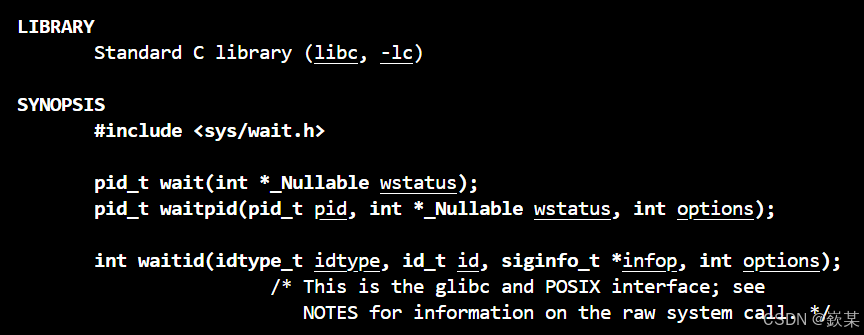
其中这两个关于进程等待的函数都有一个共同的参数status,如果对status参数传入NULL,表示不关心子进程的退出状态信息。否则,操作系统会通过该参数,将子进程的退出信息反馈给父进程。

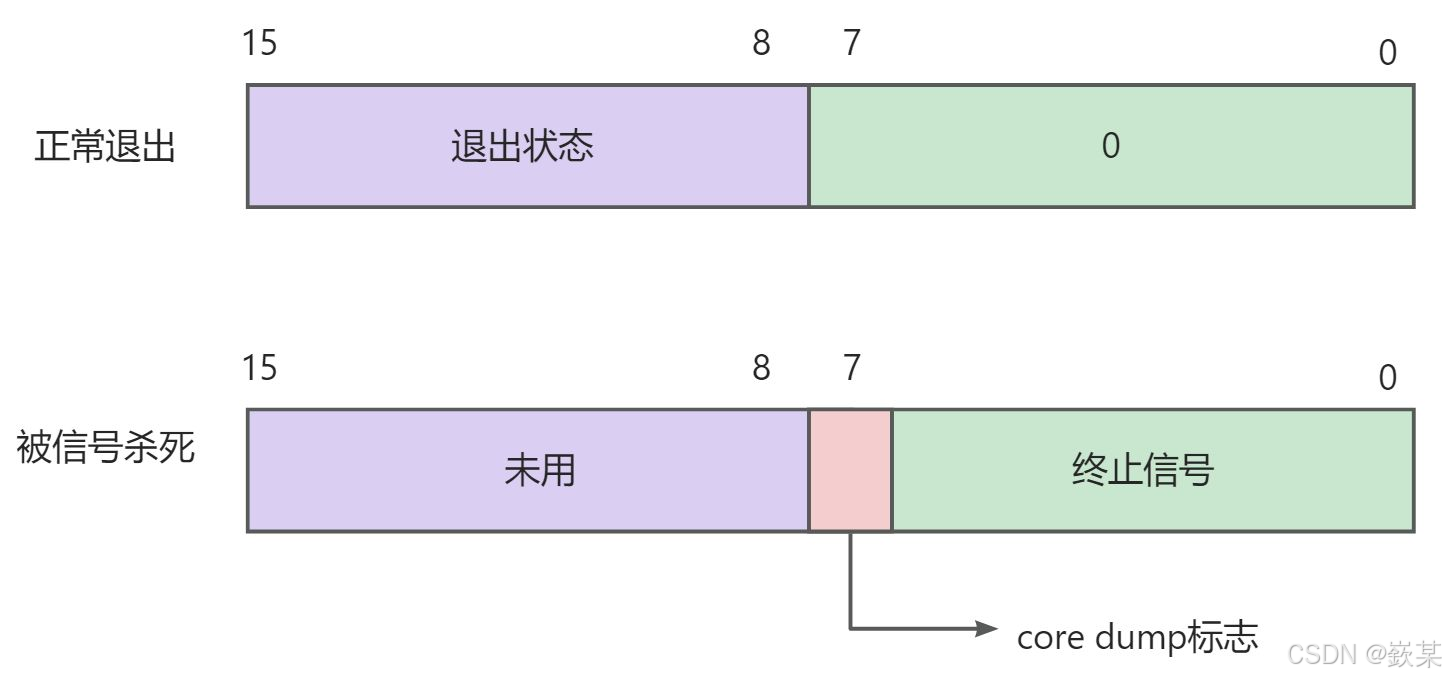
status虽然是一个整型变量,但status不能简单的当作整型来看待,因为status的不同比特位所代表的信息不同,一般我们只考虑低的16个比特位。

在*status的低16比特位当中,高8位表示进程的退出状态,即退出码。进程若是被信号所杀,则低7位表示终止信号,而第8位比特位是core dump标志。
img

一般我们可以通过相关的位运算得到进程的退出码与退出信号。

1
2
exitCode = (status >> 8) & 0xFF; //退出码 11111111
exitSignal = status & 0x7F; //退出信号 01111111

为了降低用户的使用成本,操作系统也为我们提供了两个宏表示对应的退出码与退出信号。

  • WIFEXITED(status):用于查看进程是否是正常退出,本质是检查是否收到信号。
  • WEXITSTATUS(status):用于获取进程的退出码。

wait

1
2
3
4
5
pid_t wait(int* status);
// 返回值:
// 成功返回被等待进程pid,失败返回-1。
// 参数:
// 输出型参数,获取子进程退出状态,不关⼼则可以设置成为NULL

下面的代码我们用父进程一直等待子进程,然后获取其退出信息。

1
2
3
4
5
6
7
8
9
10
11
12
13
14
15
16
17
18
19
20
21
22
23
24
25
26
27
28
29
30
31
32
33
34
35
36
37
38
39
#include<stdio.h>
#include<unistd.h>
#include<stdlib.h>
#include<sys/wait.h>
#include<sys/types.h>
int main()
{
pid_t id = fork();//创建子进程
if(id==0)
{
//chlld
int count = 5;
while(count--)
{
printf("我是子进程,pid:%d,ppid:%d\n",getpid(),getppid());
sleep(1);
}
exit(0);
}
//father
int status = 0;
pid_t ret = wait(&status);
//如果等待成功
if(ret>0)
{
printf("等待成功!\n");
if(WIFEXITED(status))
{
//退出正常
printf("exit code:%d\n",WEXITSTATUS(status));
}
else
{
printf("exit signal:%d\n",status&0x7f);
}
}
sleep(5);
return 0;
}

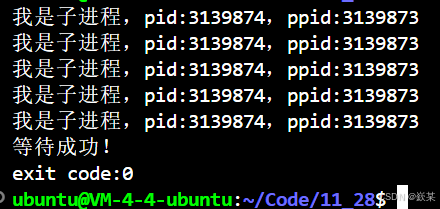
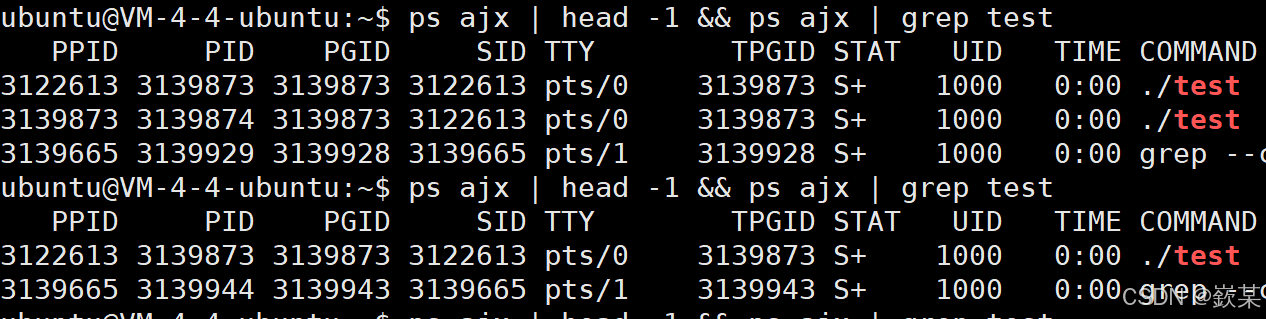
子进程正常退出,父进程等待子进程退出后获取退出信息,没有出现僵尸。

imgimg

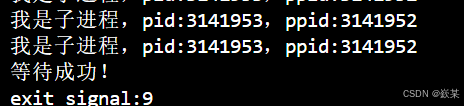
我们用kiil -9杀死父进程也能回收退出信息

img

img

waitpid

1
2
3
4
5
6
7
8
9
10
11
12
13
14
15
16
17
18
pid_ t waitpid(pid_t pid, int *status, int options);
// 返回值:
// 当正常返回的时候waitpid返回收集到的子进程的进程ID;
// 如果设置了选项WNOHANG,⽽调⽤中waitpid发现没有已退出的子进程可收集,则返回0;
// 如果调用中出错,则返回-1,这时errno会被设置成相应的值以指示错误所在;
// 参数:
// pid:
// Pid = -1,等待任意一个子进程。与wait等效。
// Pid > 0.等待其进程ID与pid相等的子进程。
// status: 输出型参数
// WIFEXITED(status): 若为正常终止子进程返回的状态,则为真。
// (查看进程是否是正常退出)
// WEXITSTATUS(status): 若WIFEXITED⾮零,提取⼦进程退出码。
// (查看进程的退出码)
// options:默认为0,表示阻塞等待
//
// WNOHANG: 若pid指定的子进程没有结束,则waitpid()函数返回0,不予以等待。
// 若正常结束,则返回该子进程的ID。(非阻塞)

下面的代码创建子进程后,父进程可使用waitpid函数一直等待子进程(此时将waitpid的第三个参数设置为0),直到子进程退出后读取子进程的退出信息。

1
2
3
4
5
6
7
8
9
10
11
12
13
14
15
16
17
18
19
20
21
22
23
24
25
26
27
28
29
30
31
32
33
34
#include <stdio.h>
#include <stdlib.h>
#include <unistd.h>
#include <sys/wait.h>
#include <sys/types.h>
int main()
{
pid_t id = fork();
if (id == 0){
//child
int count = 10;
while (count--){
printf("我是子进程,pid:%d,ppid:%d\n",getpid(),getppid());
sleep(1);
}
exit(0);
}
//father
int status = 0;
pid_t ret = waitpid(id, &status, 0);
if (ret >= 0){
//wait success
printf("等待成功!\n");
if (WIFEXITED(status)){
//退出正常
printf("exit code:%d\n", WEXITSTATUS(status));
}
else{
printf("eixt siganl %d\n", status & 0x7F);
}
}
sleep(10);
return 0;
}

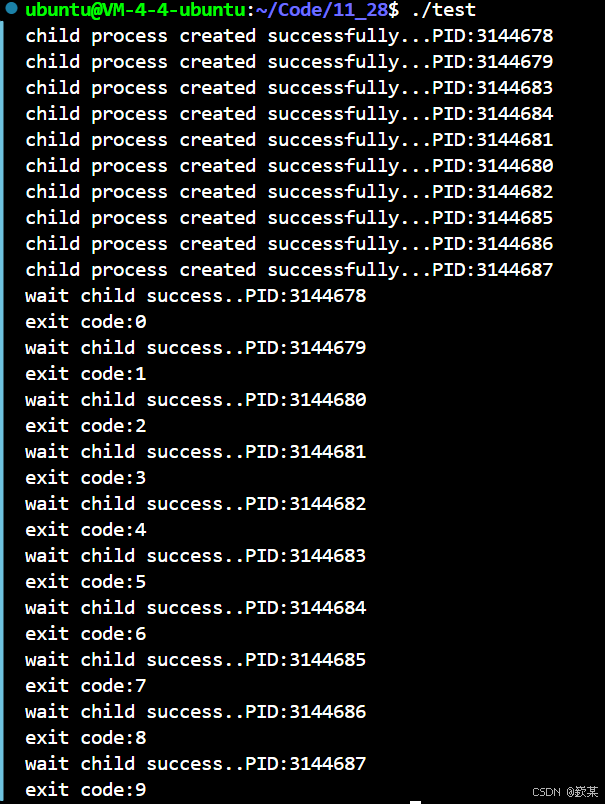
并且我们还可以创建多个进程,父进程等待多个子进程。

1
2
3
4
5
6
7
8
9
10
11
12
13
14
15
16
17
18
19
20
21
22
23
24
25
26
27
28
29
30
31
32
33
34
35
36
37
#include <stdio.h>
#include <stdlib.h>
#include <unistd.h>
#include <sys/types.h>
#include <sys/wait.h>
int main()
{
pid_t ids[10]={0};
for (int i = 0; i < 10; i++){
pid_t id = fork();
if (id == 0){
//child
printf("child process created successfully...PID:%d\n", getpid());
sleep(3);
exit(i); //将子进程的退出码设置为该子进程PID在数组ids中的下标
}
//father
ids[i] = id;
}
for (int i = 0; i < 10; i++){
int status = 0;
pid_t ret = waitpid(ids[i], &status, 0);
if (ret >= 0){
//wait child success
printf("wait child success..PID:%d\n", ids[i]);
if (WIFEXITED(status)){
//exit normal
printf("exit code:%d\n", WEXITSTATUS(status));
}
else{
//signal killed
printf("exit signal %d\n", status & 0x7F);
}
}
}
return 0;
}

img

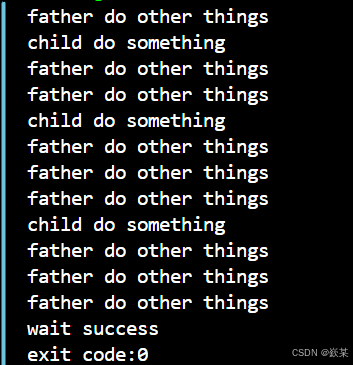
非阻塞轮询

在传统的父子进程关系中,当子进程未退出时,父进程通常处于阻塞等待状态,在此期间父进程不能进行其他操作。

然而,我们可以采用非阻塞等待的方式。具体做法是在调用waitpid函数时,向第三个参数options传入WNOHANG(不要夯住)。这样,如果等待的子进程没有结束,waitpid函数将直接返回 0,父进程不进行等待,可以去做自己的事情。而当等待的子进程正常结束时,waitpid函数会返回该子进程的pid,此时父进程可以读取子进程的退出信息。

1
2
3
4
5
6
7
8
9
10
11
12
13
14
15
16
17
18
19
20
21
22
23
24
25
26
27
28
29
30
31
32
33
34
35
36
37
38
39
40
41
42
43
#include <stdio.h>
#include <stdlib.h>
#include <unistd.h>
#include <sys/types.h>
#include <sys/wait.h>
int main()
{
pid_t id=fork();//创建子进程
if(id==0)
{
//child
int count=3;
while(count--)
{
printf("child do something\n");
sleep(3);
}
exit(0);
}
//father
while(1)
{
int status=0;
pid_t ret=waitpid(id,&status,WNOHANG);
if(ret>0)
{
printf("wait success\n");
printf("exit code:%d\n",WEXITSTATUS(status));
break;
}
else if(ret==0)
{
printf("father do other things\n");
sleep(1);
}
else
{
//wait error
break;
}
}
return 0;
}

img

进程替换

概念

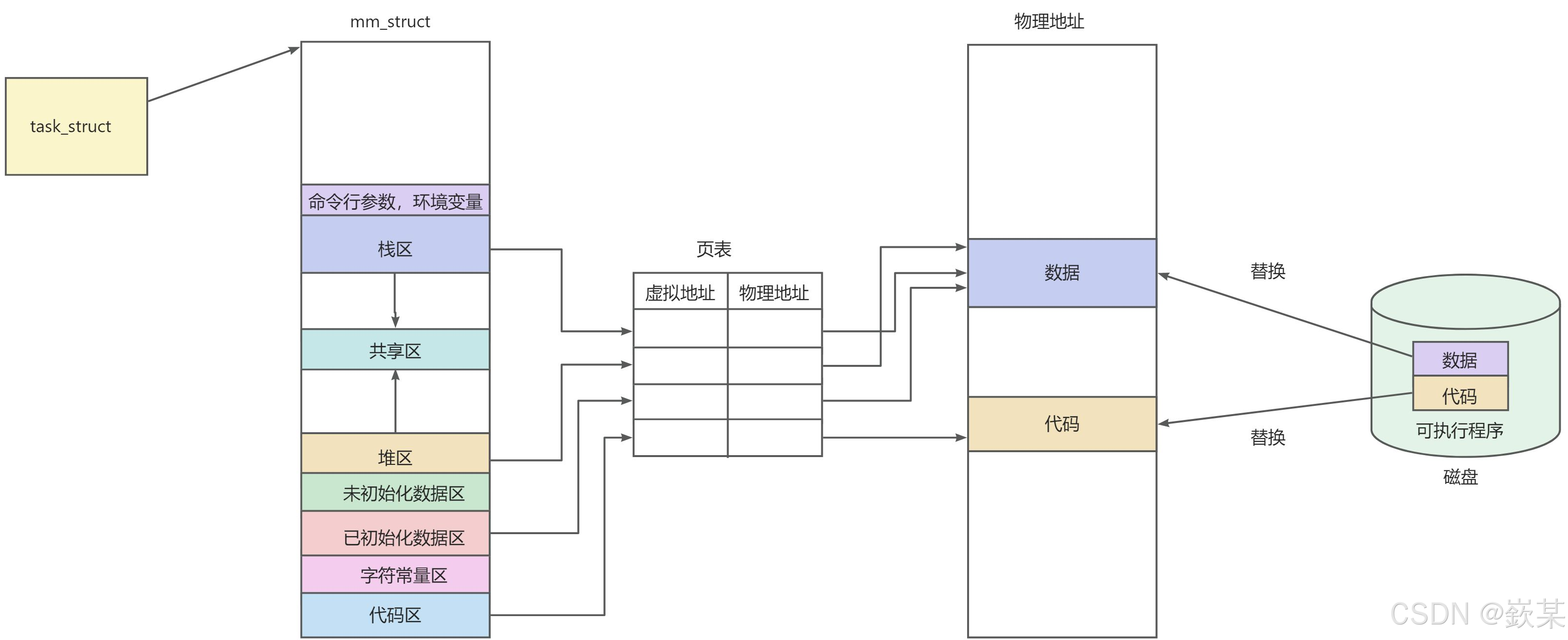
我们前面知道,父子进程是共享代码与数据的,如果修改子进程的数据就会发生写实拷贝。而今天我们需要修改子进程的代码,则需要进行进程替换。

当进程替换时,该进程的用户空间代码和数据完全被新程序替换,并从新程序的启动例程开始执行。
img

如果父子进程共享数据与代码,当对子进程进行进程替换时就会发生写实拷贝,所以对子进程就行进程替换并不会影响父进程。

进程替换函数

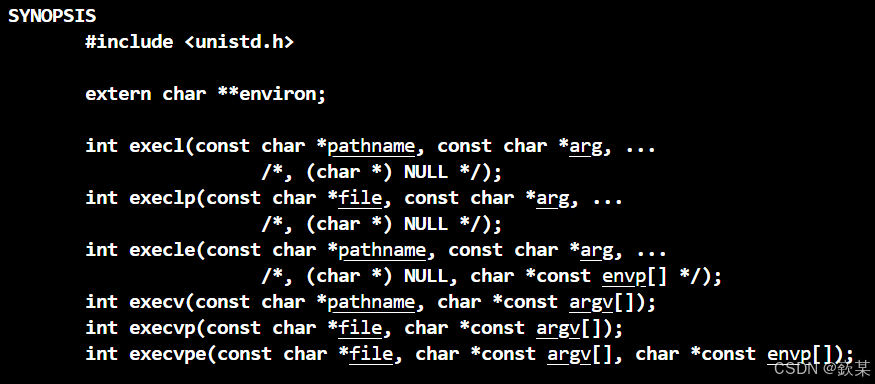
以下六个函数可以进行进程替换
img

如果替换失败函数返回 -1 ,替换成功什么也不返回,如果要返回,那返回给谁呢?源程序的代码都被替换了。

命名理解

l(list) 表示参数采⽤列表
v(vector) 参数⽤数组
p(path) 有p⾃动搜索环境变量PATH
e(env) 表示⾃⼰维护环境变量
函数名 参数格式 是否带路径 是否使用当前环境变量
execl 列表 不是
execlp 列表
execle 列表 不是 不是,自己组装环境变量
execv 数组 不是
execvp 数组
execvpe 数组 不是,自己组装环境变量

execl举例:

1
2
3
4
5
6
7
8
9
10
11
12
13
14
15
16
17
18
19
20
21
22
23
24
25
26
27
28
29
30
31
32
33
34
35
36
37
38
#include <stdio.h>
#include <unistd.h>
#include <stdlib.h>
#include <sys/wait.h>
#include <sys/types.h>
int main()
{
pid_t id = fork();
if (id < 0)
{
perror("fork failed");
return 1;
}
else if (id == 0)
{
// child
if (execl("/usr/bin/ls","ls","-l","-a", NULL) == -1)
{
perror("execl failed");
exit(-1);
}
}
else
{
// father
int status;
pid_t ret = waitpid(id, &status, 0);
if (ret < 0) {
perror("waitpid failed");
return 1;
}
if (WIFEXITED(status)) {
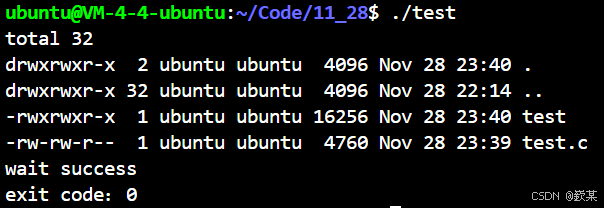
printf("wait success\n");
printf("exit code:%d\n", WEXITSTATUS(status));
}
}
return 0;
}

img

并且我们也可能通过该接口,调用其他语言的脚本,如python,shell脚本。

execle举例

例如,你设置了MYVAL环境变量,在MYCMD程序内部就可以使用该环境变量

1
2
char* myenvp[] = { "MYVAL=2021", NULL };
execle("./mycmd", "mycmd", NULL, myenvp);//执行./mycmd

execv举例

1
2
char* myargv[] = { "ls", "-a", "-i", "-l", NULL };
execv("/usr/bin/ls", myargv);//执行ls -a -i -l

事实上,在系统调用中,只有execve才是真正的系统调用,其他五个函数(如execl、execle、execlp、execv、execvp)都是对execve函数的封装,目的是为了满足不同用户的需求。这也导致了在man手册中,execve位于第 2 节,而其他五个函数在第 3 节。

本期博客到这里就结束了,如果有什么错误,欢迎指出,如果对你有帮助,请点个赞,谢谢!